




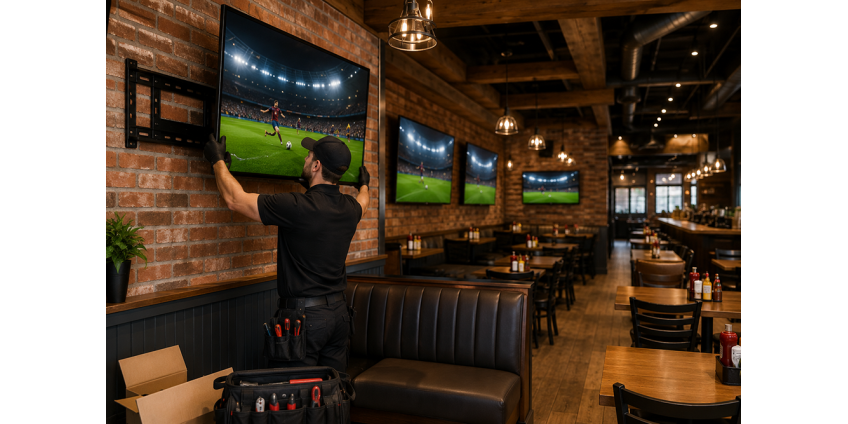
Televisions have become essential tools for modern businesses. Restaurants use them for sports and digital menus. Offices depend on them for presentations and video meetings. Retail stores display promotions, while medical facilities use screens for patient information and entertainment.
Commercial televisions can improve communication and customer experience, but only when the installation is planned correctly.
Here are ten common mistakes businesses make when installing commercial TVs—and how to avoid them.
1. Choosing the TV Location Before Studying the Room
Many businesses decide where a TV should go based on the largest available wall.
That wall may not provide the best viewing experience.
Before selecting a location, consider:
- Where customers or employees will sit
- How people move through the space
- Whether doors or columns block the view
- The distance between the screen and viewers
- Natural light and reflections
- The height of furniture and fixtures
A screen should support how the room is used rather than simply fill an empty wall.
2. Mounting the Screen Too High
One of the most common installation mistakes is placing the TV too close to the ceiling.
This frequently happens in restaurants, offices, waiting rooms, and fitness centers. While higher placement may keep the screen away from traffic, it can also create neck strain and make text difficult to read.
The correct height depends on seating position, screen size, viewing distance, and the purpose of the display.
A digital menu board may need to be mounted higher than a conference room display. A sports bar screen may need a downward tilt, while an office TV should remain comfortable to view during longer meetings.
There is no single height that works for every commercial space.
3. Ignoring Glare
A screen may appear bright and clear during installation but become nearly invisible when sunlight enters the room.
This is a significant concern in Phoenix, where strong natural light is common throughout the year.
Before installation, check the proposed location during different parts of the day. Look for reflections from:
- Windows
- Glass doors
- Mirrors
- Polished surfaces
- Ceiling lights
- Decorative lighting
A small adjustment in position or angle can greatly improve screen visibility.
4. Using the Wrong Type of Mount
Not every TV needs the same mounting bracket.
Common commercial options include:
- Fixed mounts
- Tilting mounts
- Full-motion mounts
- Ceiling mounts
- Portrait mounts
- Video-wall systems
A fixed mount may be ideal for digital signage, while a tilting mount can improve viewing when a TV must be installed above eye level. Full-motion mounts provide flexibility but require more clearance and careful support.
The mount should be compatible with the display’s size, weight, VESA pattern, wall structure, and intended use.
Choosing a bracket based only on price can lead to limited movement, poor positioning, or safety concerns.
5. Attaching the TV to an Unsupported Surface
Commercial buildings contain many types of walls, including:
- Drywall over wood studs
- Drywall over metal studs
- Concrete
- Concrete block
- Brick
- Tile
- Stone
- Decorative wall panels
A large television should not be attached only to drywall or a decorative surface without appropriate structural support.
The mounting method and hardware must match the wall material. Concrete and masonry require different anchors than wood or metal framing. Tile and stone require careful drilling to avoid unnecessary damage.
The wall should be evaluated before installation begins.
6. Forgetting About Cable Management
Visible wires can make a commercial space look unfinished.
Businesses often focus on the display and bracket while leaving cable planning until the end. This may result in hanging cords, overloaded power strips, or equipment placed on nearby furniture.
Cable management options may include:
- In-wall routing
- Paintable surface raceways
- Recessed media boxes
- Organized HDMI and data connections
- Power relocation
- Equipment cabinets
- Concealed streaming devices
Cable planning should also account for future service. A system that is completely inaccessible may look clean today but become difficult to repair later.
7. Failing to Plan the Content Source
A mounted screen still needs content.
Before installation, determine whether the TV will receive content from:
- Cable or satellite service
- A streaming device
- A local computer
- A digital signage player
- A conference room system
- A media server
- An HDMI distribution system
Multi-TV installations may require different content on different screens. Restaurants and sports bars may need multiple receivers or an HDMI matrix. Retail stores may need centralized digital signage control.
Understanding the content source helps determine cable routes, equipment locations, and network requirements.
8. Installing Multiple TVs Without a Consistent Layout
Small differences become obvious when several televisions are mounted together.
Screens that are slightly uneven, placed at inconsistent heights, or spaced differently can make the installation look unprofessional.
Multi-TV projects should establish:
- A consistent centerline
- Equal spacing
- Matching screen sizes where appropriate
- Clear cable routes
- Access for maintenance
- A plan for synchronized or separate content
This is especially important for digital menu boards, video walls, sports bars, gyms, and retail displays.
Careful measurement before installation saves time and reduces the need to reposition screens later.
9. Ignoring Heat and Weather for Outdoor TVs
Outdoor commercial TV installation is popular in Phoenix restaurants, hotels, apartment communities, and pool areas.
However, a standard indoor television may not perform well in extreme heat, direct sunlight, dust, wind, or moisture.
Outdoor installations should consider:
- Weather-rated displays
- Outdoor-rated mounts
- Screen brightness
- Shade and orientation
- Ventilation
- Protection from direct rain
- Electrical safety
- Secure mounting during high winds
A covered patio does not automatically create an indoor environment. Arizona heat can still affect the screen and connected equipment.
10. Forgetting About Future Maintenance and Expansion
Businesses often plan for what they need today without considering future changes.
A restaurant may begin with four screens and later add six more. An office may upgrade its conferencing equipment. A retailer may replace standard advertising with interactive digital signage.
The original installation should allow reasonable access to:
- HDMI connections
- Power outlets
- Media players
- Network cables
- Mounting hardware
- Streaming devices
- Audio equipment
For new construction or remodeling, conduit and wall backing can make future upgrades much easier.
Planning for expansion is usually less expensive than reopening walls or replacing an entire cable system later.
Final Thoughts
Commercial TV installation is not simply a matter of placing a screen on a wall.
A successful project requires coordination between screen size, mounting height, wall structure, viewing angles, content sources, power, networking, cable management, and future access.
Professional planning can help businesses avoid expensive changes while creating a safer and more polished environment.
TV Mountology provides commercial TV mounting services for offices, restaurants, retail stores, gyms, medical facilities, hotels, and other commercial properties throughout Phoenix, Scottsdale, and nearby Arizona communities.
More commercial TV installation information is available at TVMountology.com.